Apple has officially released macOS 27, introducing a range of new AI-powered capabilities, productivity enhancements, design updates and performance improvements for Mac users. According to Apple’s release information, the update brings significant changes to how users interact with their devices, with a particular focus on AI-assisted workflows and intelligent automation. [apple.com], [9to5mac.com]
Whilst many users will be eager to click “Update Now”, businesses should take a measured approach before deploying any major operating system upgrade across their organisation.
In this article, we’ll explore the key features of macOS 27, what they mean for businesses, and the steps organisations should take before upgrading.
What’s New in macOS 27?
Siri AI Gets a Major Upgrade
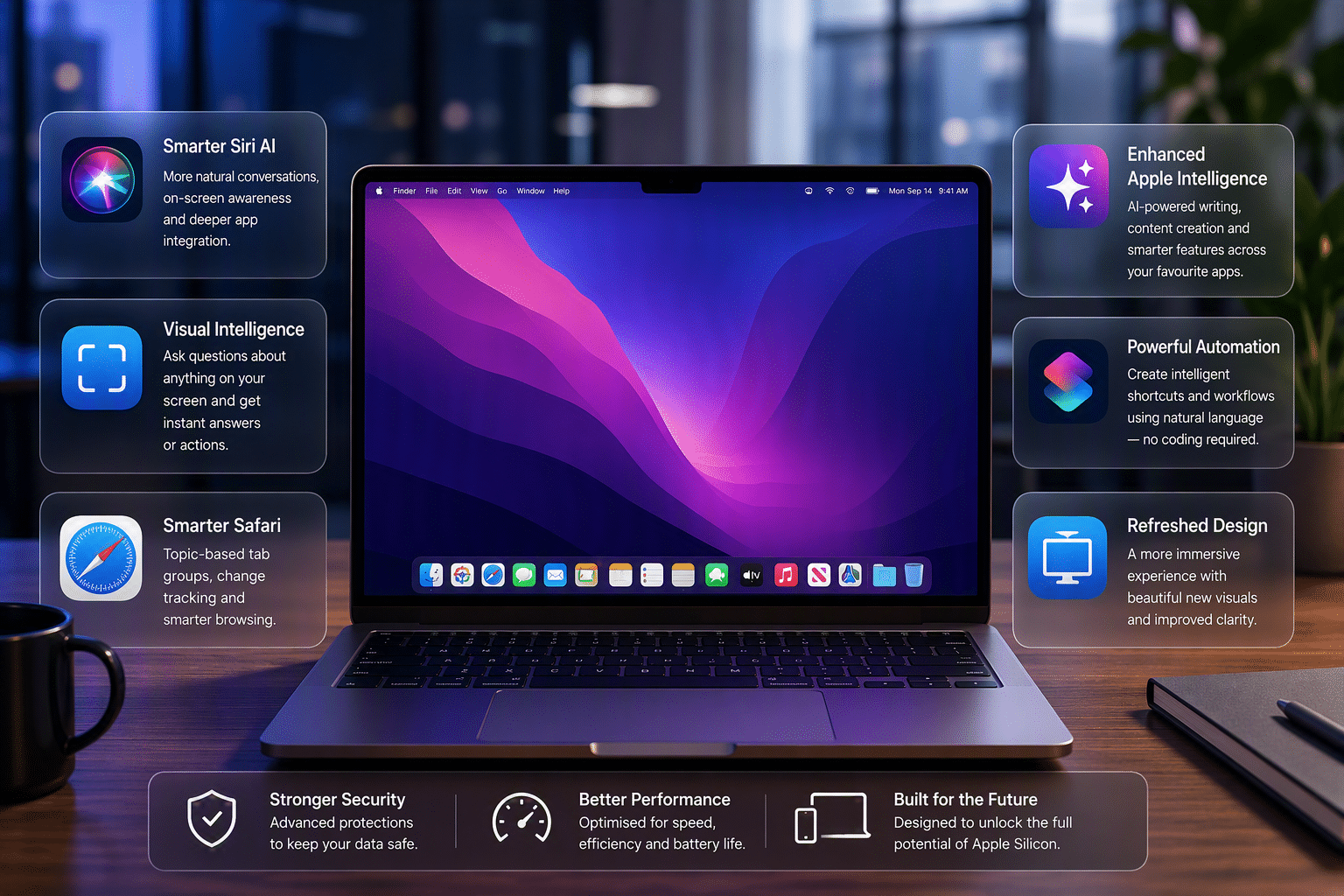
One of the most significant additions in macOS 27 is the introduction of Apple’s new AI-powered Siri experience.
Users can now have more natural conversations, ask open-ended questions, conduct research, brainstorm ideas, and receive richer responses than previous versions of Siri provided. Apple has also integrated the new assistant more deeply into everyday workflows, allowing it to help with tasks across applications and find information stored on the device. [apple.com]
For business users, this could translate into:
- Faster information retrieval
- Improved productivity
- Better assistance with writing and content creation
- Reduced time spent switching between applications
Visual Intelligence on Mac
Another notable addition is Visual Intelligence, which allows users to interact with content displayed on their screen.
Whether reviewing a screenshot, PDF, image or webpage, users can ask questions, search for additional information or take relevant actions directly from what is visible on the display. [apple.com]
This feature has the potential to improve workflows involving:
- Customer support
- Administration
- Research
- Sales and marketing
- Documentation management
Enhanced Apple Intelligence Features
Apple continues to expand its AI ecosystem throughout macOS 27.
The company has introduced improvements across applications including Photos, Messages and Safari, helping users organise information, manage content and complete everyday tasks more efficiently. Apple has also highlighted AI-assisted writing capabilities and productivity enhancements that integrate directly into existing workflows. [apple.com], [theapplepost.com]
The key benefit for businesses is that these features are built directly into the operating system, reducing the need for third-party tools in some scenarios.
Smarter Safari Experience
Safari has received several productivity-focused improvements.
New capabilities include automatically grouping tabs into topics and monitoring webpages for changes such as stock availability or pricing updates. Users can receive notifications when monitored content changes. [apple.com]
For professionals who regularly research products, monitor suppliers or track industry developments, these updates could save valuable time.
Improved Automation and Shortcuts
Apple has expanded automation capabilities through enhanced AI-powered shortcuts and workflow tools.
Natural language interactions can now help users create automations more easily, making advanced workflows accessible to a wider audience without requiring technical expertise. [9to5mac.com]
For businesses looking to streamline repetitive day-to-day activities, this could be one of the most valuable aspects of the update.
Refreshed User Interface
macOS 27 also introduces visual enhancements designed to create a more consistent and modern experience across applications.
Apple describes refinements to its Liquid Glass design language, improved readability and better consistency throughout the operating system. [apple.com]
Whilst these changes may appear cosmetic, improvements in usability can help reduce user friction and improve overall productivity.
What Businesses Should Consider Before Upgrading
Exciting new features often encourage immediate adoption, but business environments require a more cautious approach.
Before deploying macOS 27, organisations should assess:
Application Compatibility
Not every business-critical application is immediately certified for a new operating system release.
Software vendors may require additional testing before officially supporting macOS 27. Upgrading too quickly could result in compatibility issues with:
- Line-of-business applications
- Accounting software
- Industry-specific platforms
- Security tools
- Printers and scanning solutions
Backup and Recovery
Before any major operating system upgrade, verified backups are essential.
Businesses should ensure critical data is protected and recovery procedures have been tested in case users encounter issues after upgrading.
Security and Compliance
Although new operating systems typically include security improvements, organisations should confirm that:
- Endpoint protection solutions remain compatible
- Device management systems function correctly
- Compliance requirements continue to be met
- Security policies remain enforceable
User Training
The addition of new AI functionality will inevitably change how employees interact with their devices.
Providing guidance on best practices, security considerations and effective use of new features can help teams maximise the benefits of the upgrade.
Device Compatibility Matters
Apple has confirmed that macOS 27 support focuses on Apple Silicon-powered Macs, with some of the more advanced AI-focused capabilities requiring newer hardware configurations. [9to5mac.com]
For organisations still operating older devices, this release may be an ideal opportunity to review hardware refresh plans and ensure systems remain supported and secure.
Our Recommendation
At Tech Support Squad, our advice is simple:
Don’t rush into deployment on production devices.
Whilst macOS 27 introduces exciting innovations and productivity enhancements, it’s always best to:
- Test the update on a small number of devices first.
- Verify software compatibility.
- Confirm backup procedures.
- Review security controls.
- Train users on new functionality.
A structured rollout approach helps ensure businesses benefit from the latest technology without unnecessary disruption.
Need Help Planning Your macOS 27 Upgrade?
Whether you’re a business with a handful of Macs or a growing organisation managing a fleet of Apple devices, our team can help you assess compatibility, minimise risk and plan a smooth migration to macOS 27.
If you’re unsure whether now is the right time to upgrade, get in touch with Tech Support Squad for expert advice and support.